Resource scheduling grounded in your actual usage data — not industry benchmarks or rule-of-thumb thresholds.
From IAM connection to an approved schedule takes under 25 minutes for most accounts. Here is what happens inside.
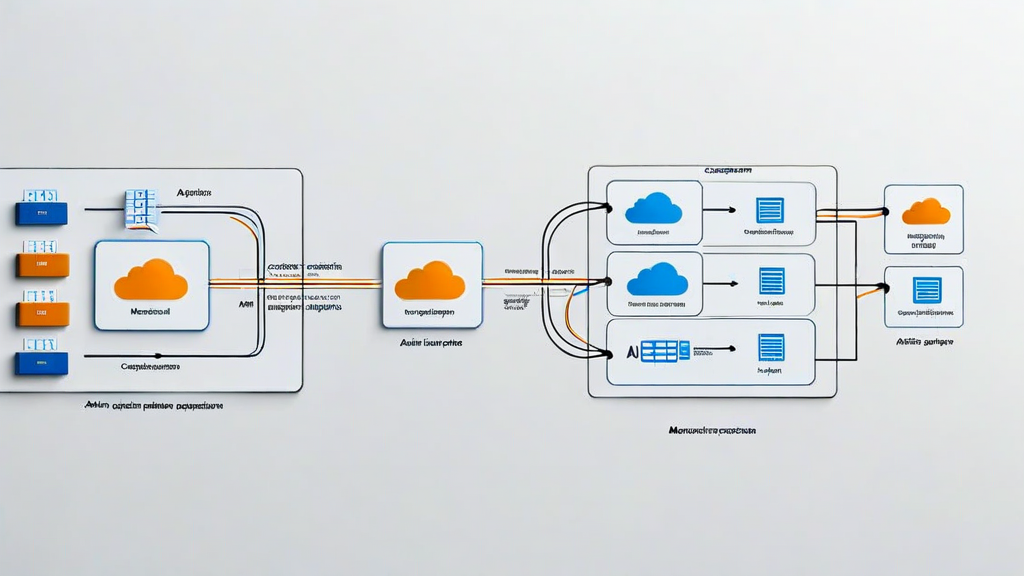
KernelRun connects via a read-only IAM role and pulls 90 days of CloudWatch metrics for EC2, RDS, ECS tasks, and Lambda functions. For GCP and Azure, it uses read-only service accounts and Diagnostic Settings respectively.
The profiler groups metrics by environment tag, repository tag, and deployment cadence. Resources without tags are classified using naming patterns and VPC topology. Profiles are built at hourly resolution, segmented by day-of-week.
The scheduler generates on/off windows that avoid observed activity periods with a 30-minute margin by default (configurable from 0 to 120 minutes). Proposals include projected savings, affected resources, and the utilization evidence for each window.
Proposals arrive in Slack as interactive messages. Engineers can approve, edit timing, or exclude specific resources. Approved schedules run via AWS Lambda. Execution logs are written back to the KernelRun dashboard and S3.
After schedule activation, KernelRun monitors for exceptions: resources that fail to stop, unexpected traffic during scheduled downtime, or cost spikes in adjacent services. Alerts route to Slack within 4 hours of detection.
KernelRun scans AWS EC2 instances, RDS clusters, ECS services, ElastiCache nodes, and NAT Gateways. On GCP, it covers Compute Engine VMs, Cloud SQL instances, and GKE node pools. Azure support covers Virtual Machines, Azure SQL, and AKS node pools.
Discovery runs continuously. New resources provisioned after initial setup are detected within 15 minutes via CloudWatch event rules or equivalent GCP/Azure event streams.
The right-sizing engine compares p95 CPU utilization and peak memory usage against every EC2 instance type in the same family. It recommends the smallest type that satisfies observed peak demand plus a configurable headroom buffer (default: 20%).
For memory-bound workloads (identified by memory swap frequency), the engine applies a separate headroom multiplier. Right-sizing proposals include an estimated performance impact score based on the utilization delta.
When AWS Cost and Usage Reports have tagging gaps — which they do in 73% of accounts we've analyzed — KernelRun uses naming conventions, VPC associations, and deployment event history to infer repository and team ownership.
Attribution data exports to CSV or integrates with Grafana and Datadog via a push API. Teams see their cloud costs in the same dashboards they monitor service health.
KernelRun builds a multi-variate baseline using your account's own 90-day metric history — not industry averages. When current spend deviates from the predicted range by more than two standard deviations, an alert fires within 4 hours.
Each alert includes the resource or service responsible, the deviation magnitude, and a link to the raw CloudWatch data. False positives can be suppressed with a single click, and the model adjusts accordingly.
KernelRun connects to Slack for proposal approvals and alerts, GitHub and GitLab for commit-based attribution, Jira for tagging issues to cloud resources, and Terraform Cloud for drift detection against declared state.
An outbound webhook API allows custom integrations. Events include resource_scheduled, anomaly_detected, proposal_approved, and schedule_executed — each with a structured JSON payload.
All cloud connections use read-only IAM roles with an explicit deny on all write actions, provisioned via a CloudFormation template your team reviews before deployment. No credentials are stored; all API calls use temporary STS tokens refreshed every 15 minutes.
Schedule execution uses a separate role with narrowly scoped start/stop permissions on EC2 and RDS only. No access to data plane operations. Audit logs for every action are written to CloudTrail.
KernelRun does not terminate instances, modify production configurations, or take any action without explicit approval. It does not access application data, secrets, or database contents — only CloudWatch metrics and Cost Explorer billing data.
All schedule executions are logged. Any executed schedule can be reversed: KernelRun keeps a resource state snapshot before each stop action and provides one-click restore within 24 hours.
For Kubernetes workloads, KernelRun reads HPA metrics and pod resource requests but does not modify Helm charts or deployment manifests. Kubernetes right-sizing recommendations are advisory only.
Takes 4 minutes. Read-only access. No production changes without your approval.
Request a Demo